




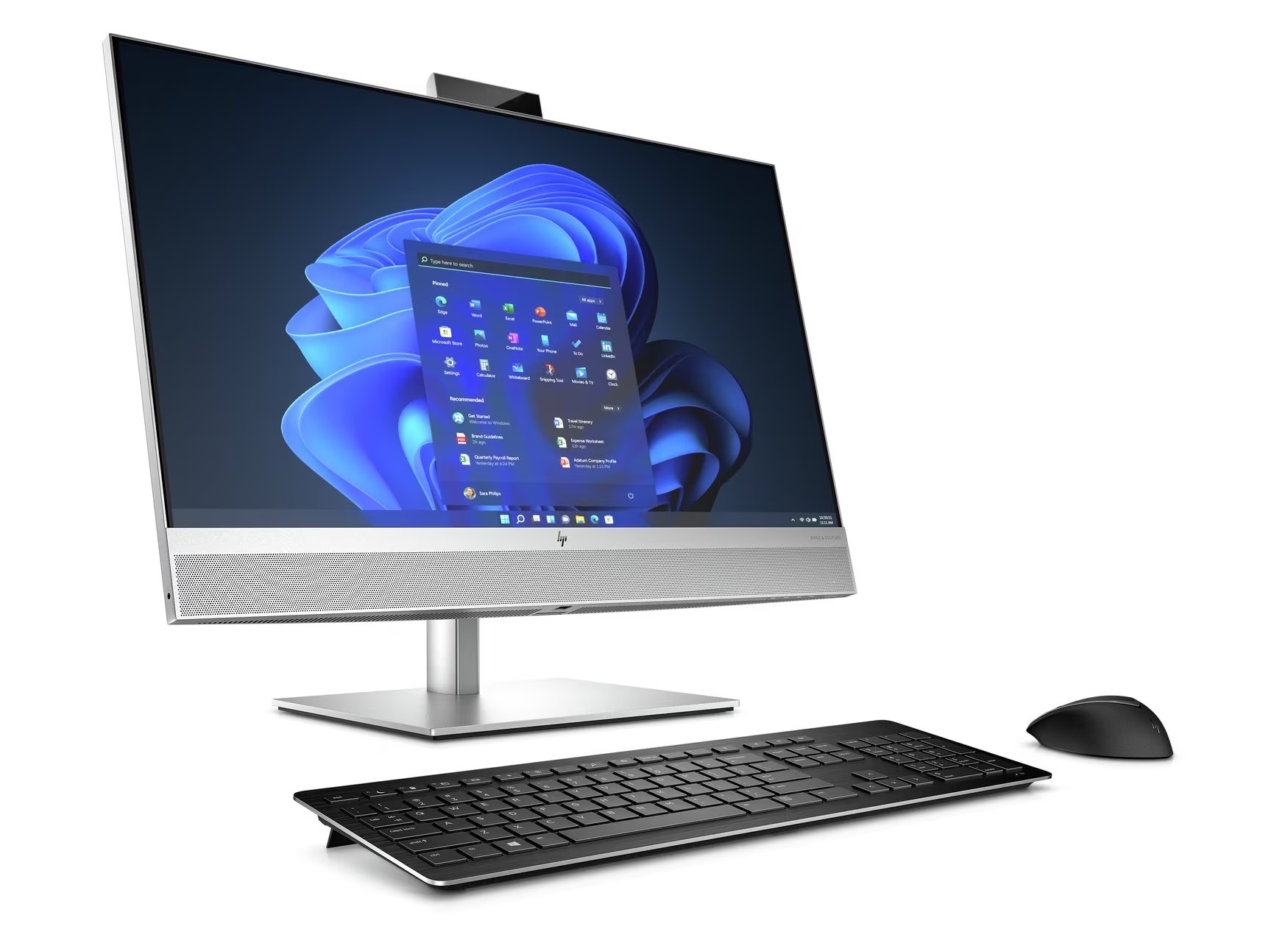
As many of you will be aware, the IT team have been planning to install new PCs in the office spaces and other locations across the museum for some time. This process will be starting from Friday 13 September.
Your current PC, along with accessories such as the mouse, keyboard, and cables, will be replaced with new equipment.
The IT Team will be installing these PCs in a staggered, team-by-team fashion. Over the coming weeks, each team will be consulted in advance to minimise disruption and make the transition as smooth as possible.
The team has requested that any stickers, sticky notes, blu-tack, etc is removed from PCs before being replaced. Please also make sure that desks are tidy enough to make it easy for the team to quickly remove old items and cables.
On new computers, colleagues will not need to log in to remote desktop to work and access files.
The reason behind the update
The IT Team will shortly be changing current desktop PCs for new ones. This is being done for two primary reasons:
- The current equipment is of an age where it needs replacing to avoid hardware failure which impacts daily museum operations. These PCs are long out of warranty and any in-depth repairs or hardware upgrades are prohibitively expensive. The replacement parts can be a large portion of what it would cost to buy a new PC. This combined with the time involved makes it a sub-optimal decision from a business perspective.
- Microsoft will be ending support for Windows 10 in October of 2025. While Windows 10 computers will continue to work, they will no longer receive security updates. This is a big enough risk for home users, but for organisations such as BCLM it would be irresponsible to continue to use an unsupported operating system. We would fail any modern security compliance standards in addition to opening ourselves up to viruses and malware attacks.
To this end, the IT team have decided to replace the current Dell all-in-one (AIO) PCs with HP AIO PCs. Apart from aesthetic differences, many users will likely not notice any substantial changes on a day-to-day basis. That said, the new PCs will be far more capable and will exceed the daily requirements of most users for years to come. Additionally, the new PCs have slightly bigger screens which will either allow users to fit more on-screen at once, or to make everything larger and easier to read without losing work space.
The rollout process
The hardware swap will be conducted in such a way to cause minimal disruption. To this end, we will be providing the new equipment to different teams one at a time. When the new PCs have been delivered, they will be kept in storage and each team’s hardware will be unpacked, set up, and configured before being placed on desks. This means the new PCs will be easier to store and less prone to damage before they are put in place. Another benefit to this is that we can make sure each team is set up in a satisfactory fashion before moving onto the next. Any emerging issues can be promptly dealt with and hopefully avoided during future installs.
Prior to equipment installation, we will discuss with each team the best way to put the hardware in place. This may include ascertaining on what day the least members of a team are present, or if some may be on leave and so will not require use of their desks. Some teams, or particular members of a team, also have specific software that is not typically used in the wider organization, so we will need to ensure that it is installed accordingly. Some software may have become superfluous and so can be omitted from the new setup.
The goal will be to guide each team through their first use of the new equipment and (in some cases) their first use of Windows 11.
Frequently asked questions
Why more change?
Along with the new PCs will come a move to Windows 11. The change from Windows 10 should not cause too much confusion as they are very similar. This is out of our control as Windows 10 will no longer be supported by Microsoft as of October, 2025.
While we agree that these changes can be disruptive to work, please understand that they are necessary and ultimately will be beneficial. A change of this scale is uncommon and should be the only one of its kind for the foreseeable future.
If anyone requires additional help with their new PC or Windows 11 specifically, then please do get in touch.
What about remote desktop?
Many staff currently use remote desktop on a day-to-day basis. This is where some users will notice change as we will be moving most staff away from logging in through remote desktop while using a PC at the museum, although functionally there will be little actual difference. For security reasons, a newer version of remote desktop will stay in place so that staff can log in on laptops, whether they be museum-issued or personal devices.
The reason for this mostly comes down to performance issues caused by modern operating systems and resource-hungry programs; Teams in particular is guilty of this. There are also some applications that work poorly when run on remote desktop or simply do not function at all. We’re hoping that this transition will cause few to no issues for end users, but we will of course be on hand to resolve any problems.
What’s happening to the old PCs?
These new PCs will be seen across the museum, including Canalside, the Hartill’s and Morrall’s offices, the office above the Bottle & Glass, and in various other locations across site. Some locations will see existing hardware remain where it is deemed acceptable and will not cause major disruption to daily operations should the old equipment fail and there is downtime before it can be replaced.
Any existing PCs that we do not keep for use will either be sold or otherwise recycled appropriately.
As outlined in the intranet brief, we will not be selling old PCs to staff. Below is the explanation previously given:
“It is not uncommon for staff to ask if they can buy old PCs from the organisation. Unfortunately, we do not feel this would be a responsible decision on our part. The first reason why is that, as already stated, the current PCs have already seen daily use for more than 7 years and are beginning to suffer from hardware failure. We would not want to sell a piece of equipment to a colleague only for them to encounter issues with it down the line. The second reason is that the current batch of PCs do not support Windows 11, and Microsoft is ending support for Windows 10 in October, 2025. This means that they will no longer receive security updates and will be more vulnerable to viruses and the like.”
Leave a Reply