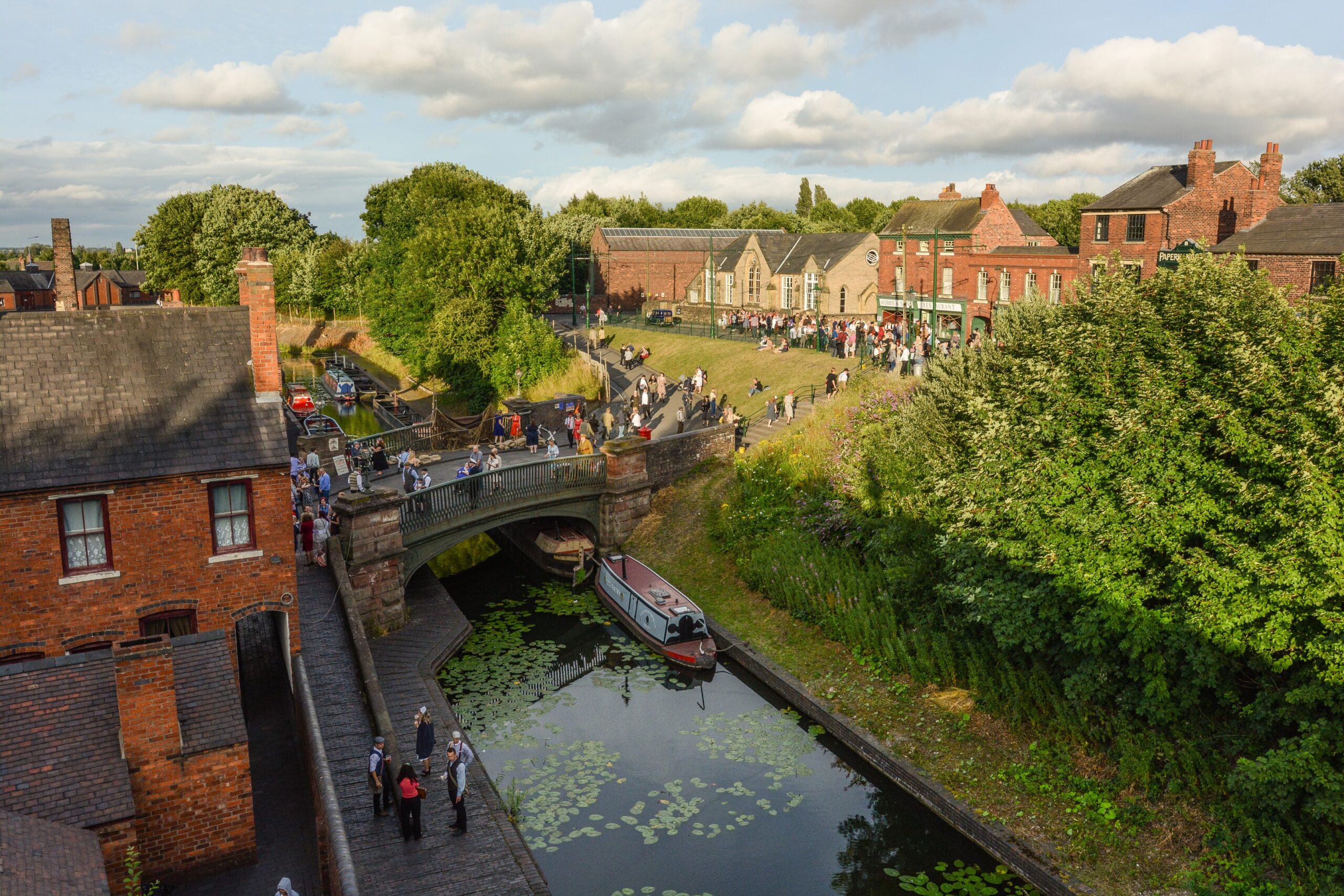
We are continually reassessing the impact of the COVID-19 on the Museum and, as previously communicated, our financial position as a charity largely reliant upon visitor income is very challenging. This challenge will increase while we remain shut and unable to generate income from visitors.
We were pleased to see the business support package announced by the Government on Friday 20 March and, in particular, the employee salary support measures. We are urgently looking into accessing the support from the Government in order to ensure job retention.
However, accessing this support will require the Museum to add a clause that is not currently in our contracts of employment that would enable us to furlough staff on a temporary basis. Therefore, following conversations with both Community Union and the Staff Consultative Forum, we will be in touch over the next few days to discuss this proposed contract amendment with you. Accessing the Chancellor’s support measures now will help secure the employment of our teams for better times in the future.
During these difficult times, the Museum has chosen to use Microsoft Teams to help office based staff work from home. Users will be able to assist each other, collaborate on tasks, share files, and organise their work. People will be able work together and communicate without putting their health at risk and maintain their well being.
Teams can be accessed by logging in with your usual log in at teams.microsoft.com or opening the teams app if installed. The Teams app is also available as an app for Android and iOS devices
Please note video chat will not currently work on Remote Desktop. Instead either use the mobile app or by accessing Teams directly on the laptop.
You can also access your email remotely by going to office.com and selecting Outlook. Here you will also see the various other Microsoft applications available to you, including Teams, we encourage you to explore these apps and discover how they can help you and your team to work more effectively.
Within one window, you can call upon a variety of key Office 365 apps and tools to help you and your team work more effectively, such as:
Calendars and meetings (Outlook)
Create, share, edit and find content (SharePoint, OneDrive and OneNote)
Call (voice) and meet (video) team members
Chat and instant messaging
Teams and Channels
To start your teamwork collaboration, you need a team. Setting up Teams
is easy and done in a few clicks, requiring a Team name and a description; this
then allows team members to be added. As mentioned above, a new Team will
create a matching Office 365 Group, OneNote, SharePoint site and Plan—so this
does need to be done with some caution.
Each Team has subsections, which are called Channels, and a General Channel will automatically be created. You can have multiple Channels within a Team; for example, you could have a ‘Marketing’ Team and then Channels such as ‘Social Media’, ‘Product Launch’, ‘Blogs’ etc. Or a Company could be a Team and Channels can relate to departments – you can choose whatever suits your organisation’s way of working. Whenever there is a new notification or activity, the Channel will become bold.
Channel Tabs
Each Channel all have their own tabs along the top. Conversation (group
chat), Files (shared documents) and Notes (shared OneNote) are automatically
created and you can then add your own tabs.
Conversation
Conversations are one of the key features of Teams, allowing each Team
to have a centralised discussion that is saved and easily searchable.
Conversations are the central component where all teamwork is recorded—from
file sharing to video calls.
The use of @mentions allows you to tag participants or even whole teams to notify others. Users that look at Conversations will easily see where they have been mentioned through the red @ symbol to highlight areas of importance to them. On top of this, your desktop app will notify you through an alert. As well as tagging, users can ‘like’ content and share emoticons or GIFs.
Files
In your Teams window, you can perform a variety of tasks directly within
that window or browser, so that you avoid flicking between different applications.
These tasks include the ability to delete, download, move files, open, copy,
edit or get a link to share with others – giving you all the key features you
would get in the native apps.
You can also start a Group chat alongside the file, to allow team discussions while all working on the files – and this conversation will appear in your Conversation thread.
Notes
Notes takes you to the Team shared OneNote. Within Teams you can view and edit your OneNotes (directly within the Teams window) or you can click to edit in the OneNote app.
Adding Tabs
As well as these three automatic tabs you can also add your own, which currently include Planner, Excel spreadsheets, Word documents, Power BI dashboards and more.
Menu
Along the left-hand side you can navigate to different areas within
Teams, such as Chats, Meetings, Files and Activity. Most of these are fairly
self-explanatory:
Activities: Shows you the last activities of the Teams that you are part of.
Chat: This holds your conversations, providing a complete chat history.
However, for a chat within a Team you should use the Teams menu and hold the
group chat in ‘Conversation’.
Teams: An overview of all your Teams that you are part of and allows you to
drill-down into each Channel within the Teams. This is also where you can
create Teams.
Meetings: The Meetings tab pulls your meetings in from Outlook and also allows
you schedule meetings within the Meetings tab that are sent to a Team. If you
want to schedule other meetings with external users or individuals, you will
still need to use Outlook, as the Teams Meeting tab is only to schedule a
meeting with a Team. (Remember the aim is team collaboration, not calendar
management).
Files: Within Files you can quickly find and view files across OneNote, OneDrive and within Teams (stored in their own SharePoint sites). There’s also a very helpful ‘Recent’ tab so you can quickly access the latest documents you were working on, as well as a shortcut to your Downloads.
We’re delighted to share the news that the Museum has won
silver in the Large Visitor Attraction of the Year category at the inaugural
West Midlands Tourism Awards.
The Awards highlight the best the West Midlands has to offer
in travel, tourism, and visitor attractions and are designed to raise the
profile of the West Midlands as a tourism destination – for both domestic and
international audiences. Our award
success recognises the Museum’s contribution to putting the West Midlands on
the map for tourism and helps to raise our profile as a thriving and
distinctive visitor attraction.
Following an exhaustive application and judging process, the
Museum was shortlisted as a finalist for Large Visitor Attraction of the Year
alongside National SeaLife Centre Birmingham and the Royal Shakespeare Company
(RSC) who took bronze and gold respectively.
Our silver accolade is due to the hard work, skill and
enthusiasm of all colleagues at the Museum.
Thank you to everyone for making this possible.
Employees are now able to submit requests to purchase additional annual leave or sell annual leave for the 2020/2021 leave year. Please note the maximum amount of annual leave an employee may buy or sell is the equivalent of one contractual week.
Employees who wish to make a request must familiarise themselves with the Museum’s Buying & Selling Annual Leave Scheme and complete a Buying & Selling Annual Leave Form. Requests under the scheme will require approval from the employee’s line manager and the People & Culture Team.
If the request to buy or sell annual leave is approved, employees will be notified of the resulting change in their monthly salary. Adjustments in pay as a result of the scheme will commence from March, for a period of 12 months.
Requests must be received by the People & Culture team by no later than Friday 13th March 2020.
You can access the Museum’s Buying & Selling Annual Leave Scheme and Buying & Selling Annual Leave Form here.
If you have any queries in relation to the buying and selling of annual leave, please do not hesitate to contact the People & Culture Team ([email protected]).
To improve efficiency and ensure accuracy for payroll
purposes, both the new starter and leaver process have been updated.
A flowchart has been created for the new starter and the
leaver process for managers to follow, which will help guide you through the
process step by step. The guidance for managers can be found in the ‘documents’
tab above under ‘forms>for managers’.
Most notably, the new starter and leaver forms have been revised to help capture the necessary information that the People & Culture team need, and to remove any redundant fields. If you have any previous versions of these forms please remove them from your files and only use the most up to date version which is now saved on the intranet in the ‘documents’ tab above under ‘forms>for managers’.
If you need any further guidance, please contact a member of the People & Culture Team ([email protected]).
We all like to share our celebrations and festivities with people we work with. It’s almost expected that we bring in a cake or sweet treats to share, but next time why not bring in some fruit as well, for colleagues who are trying to abide by their new year’s resolution of eating more healthily? You just might help someone stay on track with their diet, or encourage colleagues to make healthier choices while at work.
For some tips on eating healthy, please follow this link to a NHS quick guide: www.nhs.uk/healthy-eating
Black Country Living Museum has been highlighted as part of Curating the Future, a BBC Radio 4 series hosted by Tristram Hunt, Director of the V&A Museum London. The series questions the role and relevance of museums in the 21st century.
Episode two, ‘Museums are not neutral’, discusses the role of museums in society and how they reach and represent their audiences.
BCLM is mentioned an organisation with an exemplary approach to storytelling which creates engagement with a much broader audience than that of a ‘traditional’ museum (approx. 24 mins into the episode).
You will hear perspectives from Tony Butler of Derby Museum,
as well as from Sara Wajid (Head of Engagement at Museum of London) and Bernard
Donoghue (Director of Alva).
The series is available to listen to on demand at BBC Sounds via their website or app.
The collections care team have now begun the process of moving the Springfield Brewery War Memorial, in order to continue with conservation work in preparation for its relocation.
The current plan is for the memorial to be relocated to the top of the steps on 1930s street. The team intend for the memorial to be back up in time for the memorial service this year.
As part of the recent launch of our Health & Wellbeing Policy, BCLM’s Spiritual Wellbeing Champions, Michelle Darby and Steve Grainger, are holding bi-weekly spiritual wellbeing sessions on Thursdays after work from 4pm – 5pm.
We invite you to use these sessions as an opportunity to speak openly with colleagues about any struggles you may currently be facing, no matter how big or small. We should all feel we can open up without fear of judgement or ridicule.
Come and drop in, any time between 4pm – 5pm:
09 January 2020 – Rooms 2/3
23 January 2020 – Rooms 2/3
06 February 2020 – Rooms 2/3
20 February 2020 – Rooms 2/3
05 March 2020 – Guide Hut
19 March 2020 – Doo’s
We hope these sessions will offer time for reflection after a busy day and encourage supportive relationships between colleagues.
Further dates will be added later in the year as we approach summer opening hours.
If you have any questions, please speak to either of our Spiritual Wellbeing Champions, Michelle or Steve, or Ricki in the People & Culture team.
We are looking for memories of Spring Hill Post Office, Wolverhampton in the mid 1960s so that we can recreate it in our new 1940s-60s historic town.
What we need & how to contact us
To help us in our recreation, we would love to talk to anyone with memories of the Post Office. Do you remember Spring Hill Post Office? Did you buy, or post, your Christmas cards there? Did you buy any models in the shop? Do you remember Stan Nettleton, who ran the Post Office in the 1960s?
This building has so many stories to tell, so if you or anyone you know remembers Spring Hill Post Office during this period, please speak to a member of the Collections Care team or get in touch via