
Author: IT Team

  • Weekly update – 22 April

    It is now 5 weeks since we closed the Museum to the public. With the recent announcement of a further three weeks of lockdown, the Museum will remain closed until the Government advises that it is safe for us to open to the public.  We hope that you and your friends and family are well and safely self-isolating. 

    As you will know, we have now furloughed 95% of the Museum’s workforce and in total just 13 staff are currently still working.  Alongside Duty Managers, Maintenance and our Horse Handlers who are doing a great job ensuring that the site and our animals are safe, there are a small number of office staff still working behind the scenes. Their work falls broadly into 5 main areas and we are enormously grateful to those staff members including Di, Abby, Tom, Liz and Andy who continue to work from home on the following:

    • Online Content.  Work has been continuing behind the scenes to create a series of content that highlights key Black Country stories and supports at home learning for both adults and children.  A new child-friendly learning hub has been set up on the website under the name ‘History at Home’ (bclm.com/HistoryatHome) and includes interactive ‘learning packs’ designed by the Programme Developer specifically to aid homeschooling. This has been extremely popular and is now the fifth most visited page on the site.  The project has so far focussed on various topics including the life of a Black Country coal miner and the rise of the canal network in the region, with upcoming topics covering everything from a Victorian childhood to the highly topical ‘health and hygiene’.  This content has had a positive impact across social, particularly on Instagram and Twitter. All resources and content can be accessed via bclm.com/HistoryatHome. Tom and Abby will also work closely with Jenny in her role as Black Country Studies Centre Coordinator to prepare adult-specific content which will go deeper into the subject areas.

    • Finance and Administration.  Members of the Finance team continue to coordinate payroll to ensure that everyone receives their salary at the end of April, pay invoices for our regular suppliers many of whom are also affected by this lockdown, submit gift aid claims to HMRC, and in the last couple of days submit  information to the Job Retention Scheme allowing us to receive financial support for furloughed staff.   In sales & ticketing the priority has been contacting all schools regarding their bookings, as well as well as responding to ticket holders for our May and June events which we announced last week would be either cancelled or postponed.  
    • External Financial Support.  Work also continues behind the scenes to secure additional financial support, on a small scale this has included donations via Justgiving and promoting the purchase of the unchained pass with a message of ‘buy now, visit later’.  It is heartening to see the amount of affection for our Museum on social media, and the desire to see it come through this difficult period with the promise of visiting once we are able to re-open.  On a larger scale we have been talking to our major grant funders and particularly to Arts Council England  which has this week released details of emergency funding that the Museum, as a member of the National Portfolio, is eligible to apply for.   
    • Planning of the future.  As we look to the future, it is important that we consider a range of high level scenarios and cash flow models.  The current situation and the forward financial planning is being reported to the Board on a weekly basis, with the Board meeting (via video conferencing) every two weeks – the next being tomorrow 23rd April.
    • Finally, being part of the National and International discussions regarding our sector.   It is important to realise that we are not alone as we find our way through this crisis and so keeping in touch with colleagues in other museums, heritage organisations and the arts sector, across the West Midlands, UK and Europe is especially important.  In particular, we are keen to see how the public behave in mainland Europe once restrictions are lifted, given progress of the disease is more advanced. Especially important has been regular contact with the National Trust.  As Chair of the Association of Independent Museum, Andrew is  heavily involved with supporting museums across the UK, and ensuring those at greatest risk are heard by public-sector bodies able to offer financial support.  The Museum’s  membership of various WM and national bodies supports this work, and in-turn BCLM.  For several weeks Andrew has been part of an arts/museums/heritage group making representations to Government, including a weekly conference call chaired by a Gvt Minist

    So there is a huge amount of work still going on in the background to ensure that our Museum can come out of this crisis looking to the future with optimism.

    And finally, a couple of good news stories from around the museum:

    At the time of writing, our Senior Seamstress Hayley Cropp has created nearly 40 scrubs to meet the national shortage. Bravo!

    Michelle, Kev and Chris decorated one of our carriages and created to signs to support the national #ClapfortheNHS movement, and even got one of our chickens involved too.

    If you have a good news story, please message [email protected] – we’d really love to hear about all the things you’re getting up to during quarantine. Until then, stay tuned for further weekly updates, which will usually be each Wednesday on the intranet.


  • Weekly update – 15 April 2020

    Weekly update – 15 April 2020

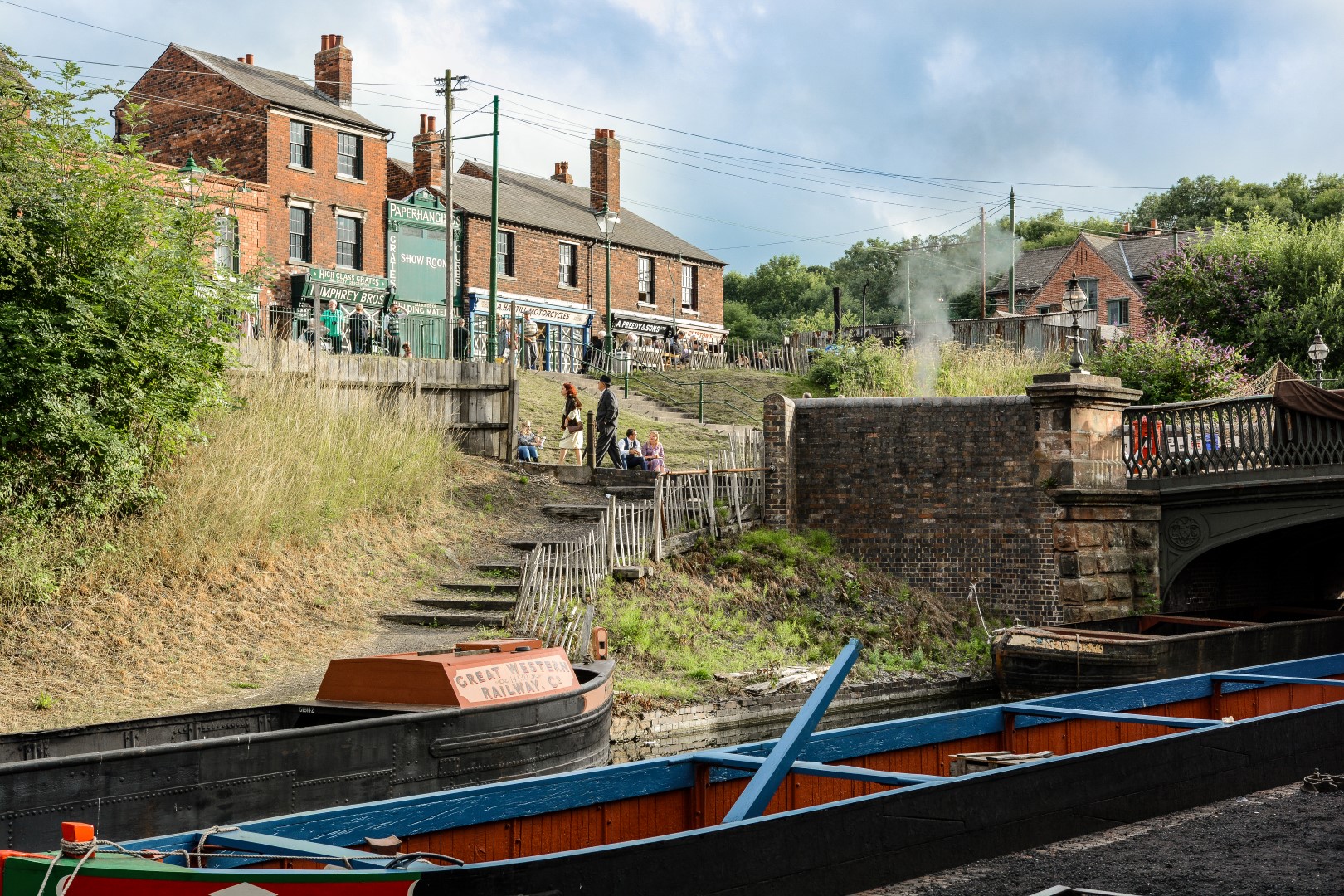
    A photo taken by Kev this week, who is still acting as Duty Manager on site alongside John Ryan.

    We hope that you, your friends and family are keeping safe during this difficult time, and that you had a pleasant Easter weekend.

    Many of you will be aware of the Government’s COVID-19 Job Retention Scheme (JRS), which has been set up to support employers to continue to make payments to staff whose earnings have been impacted by the Coronavirus. Until last week we were unsure if we could include colleagues who work under Casual Worker Agreements. However, after further clarification from the Government last week, we are pleased to confirm that we can now include our Casual Workers within this scheme.

    Later today we will be publicly announcing changes to our events programme.  Due to the social distancing measures currently in place, the necessary preparation for our events cannot take place and therefore all events scheduled for May and June have been cancelled or postponed. Our main priority has been to postpone and re-schedule events where possible, however where we haven’t been able to find an alternative date, we’ve had to take the reluctant decision to cancel. The changes to our May and June programme affect both special daytime events where you can visit with an UnChained Annual Pass and our pre-ticketed evening events. In particular, Red by Night has been postponed until Saturday 10 October 2020, and the new Finding the Fifties event until 2021. Information on all other events can be found on the Museum website.

    Some of you may have seen the Midlands Today news yesterday, but for those that haven’t it featured the Museum and an interview with Andrew:

    The Museum has donated surplus fabric from the costume department, and our seamstress Hayley is utilising this to make scrubs for NHS staff.  These plain clothes are being used by an increasing number of NHS staff as part of their personal protective equipment and with the need to change these more frequently, this has led to a nationwide shortage.  Hayley can be seen with one of 22 sets (top and trousers) that she has made over the past twelve days.  If anyone else is volunteering or supporting our key workers and would like to share this with colleagues, we’d love to hear about them! Please send your updates to [email protected] and we will include as many as we can in these weekly bulletins.

    We’ll continue to update you on a weekly basis, but until then, keep safe, healthy and happy.

  • Andrew’s weekly update – 8 April 2020

    It’s now three weeks since we closed the Museum and our thoughts continue to be with everyone at this difficult time; but especially those who have been affected directly by the virus, and their family and friends.

    John and Kev (our duty managers) alongside Chris and Michelle (horse handlers) and Martyn (maintenance) continue to ensure the site and animals are being looked after and that essential works can take place. Blue skies but no visitors is definitely not the normal Easter holiday combination. And it’s not just us missing the Museum, one Facebook commentator has posted photos of their garden which they’ve decorated with photos of the Museum for their daughter’s 14th birthday as we’re her favourite place!

    Members of the Programme, Research and Marketing teams who remain working have been busy producing History at Home content – the first of these videos was uploaded this week so remember to check our Twitter and Facebook page for updates.  

    We want to thank everyone for their ongoing perseverance and commitment during this time and that you continue to keep safe and well. 

  • Andrew’s weekly update – 3 April 2020

    As we approach the end of the second week since the Government asked us to “stay home, save lives”, Andrew has recorded a video to provide a brief update while we are away from the Museum.

    .featured-image { visibility: collapse; display: none; }
  • Furlough FAQs

    What does being furloughed Mean?

    It means that the Museum has to ask you to stop working in order to get funded support from the Government’s Job Retention Scheme.

    Will I get paid when I am furloughed?

    Yes, pay for April will be at 100% as previously announced on 18 March 2020.  If we are still closed in May and also June, pay will be in accordance with the Government’s Job Retention Scheme.  Read more on the gov.uk site.

    Can I do other paid work during whilst being furloughed?

    If you work for any other organisation during your furlough Leave, other than one you already worked for before going on furlough leave, you must tell us. In other words, if you take on new additional role, there is a risk that HMRC will reclaim your salary payments back from the Museum and if they do you will have to repay it to the Museum. Please ensure you email [email protected] and receive a response from the Museum before committing to a new role.

    What happens if I have pre-booked annual leave now that I am furloughed?

    All annual leave excluding Bank Holidays, is cancelled during the period of closure. The Government has issued new guidelines relaxing the arrangements on carry-over of annual leave. Please refer to UK GOV website for specific details on this.

    What happens if I have bought or sold annual leave under the Museum’s Buying & Selling Annual Leave Scheme?

    If your request to buy/sell annual leave has been approved, this will be processed as planned. You will have received a letter regarding the change to your monthly pay and this will take effect from March payroll.

    I have requested to carry over annual leave from my 2019/2020 annual leave entitlement, will this be approved?

    As of yet, no requests to carry over annual leave have been formally approved. All requests will be reviewed at a later date and those employees who have submitted a request will be communicated with accordingly.

    Should I check my Museum emails when I am furloughed?

    We would encourage you to check your emails for any updates or changes to your current furloughed status.

    However, you should not directly respond to any other work-related emails. An out of office will be put on your BCLM email addresses directing queries to an appropriate member of the non-furloughed team.

    How will I know when I am no longer furloughed ?

    We will contact you via email or Planday to give you notice of the proposed end of the furlough period, we can confirm that this will be no earlier than the 1st May 2020.

    What do I need to do if I am sick whilst designated as furloughed ?

    You still remain an employee of the Museum, therefore you still have a responsibility to keep us informed of any sickness absence whether it is related to Coronavirus or otherwise. Please email [email protected].

    I am a casual worker, will I still get paid for any holiday I have accrued in my March pay?

    Any outstanding holiday payments for casual workers will be paid in the April pay period.

    I am a casual worker, am I included in the Job Retention Scheme?

    At the moment the Job Retention Scheme does not apply to our Casual Worker Agreements, however we are continuing to monitor this situation and if there is any change we will contact those impacted by this.

    I am casual worker and I may need a reference for other work, how I can I get this during the closed period?

    Please email [email protected]. We will try to respond to requests on the same day, but at the very latest within 24 hours.

    What about security of the Museum site during shutdown?

    We have taken every practical step to keep the site as secure as possible during shutdown. 

    How will the Museum communicate with us?

    The Museum’s Leadership Team will keep staff updated as the situation progresses. In the first instance, please keep an eye on the intranet where important updates and announcements will be made as appropriate.

    Who do I contact if I have a question or concern?

    A small numbers of colleagues have not been furloughed for reasons of business continuity and they will have access to [email protected].

    How do I access my payslip?

    The Museum operates an online (e-payslip) system called My Epay Window. You can access this by visiting https://www.myepaywindow.com/ and entering your username and password. If you cannot remember your login details you can request to reset this information by clicking ‘forgot password?’ or ‘forgot username?’ Anyone who has not activated their account will have recently been sent an invitation from My Epay Window which will have been sent to the email address held on file.

    It is important that you access your payslips during the closed period to receive your P60 (End of Year Tax certificate).

    Where can I access external support and advice?

    We understand that the temporary Museum closure and COVID-19 is a very real concern for all colleagues. We suggest that colleagues take this time to explore external supports available to them. Our Employee Assistance Programme and Reward Gateway are good starting points as are the Government COVID-19 response pages.

    What is the Employee Assistant Programme and how do I access it?

    The Employee Assistant Programme is a confidential 24/7, 365 days a year service. Accredited counsellors and experienced information specialists offer support and signposting across a range of personal legal, medical, health and wellbeing issues, as well as a telephone counselling service.

    Support can be accessed via the telephone helpline and there is also on online portal available, where you can access further information. To access the helpline, please call 0800 015 7287 (quoting Black Country Living Museum), or visit www.colleaguesupport.co.uk and use 72160 as your username and password.

    What is the Reward Gateway and how can I access it?

    You can access this via https://wellness.bclm.com. You will need your payroll number if you are accessing for the first time. The site is only open to contracted staff. It provides practical tools to support /assist with financial planning and health & wellbeing, including lots of practical videos on staying fit and recipes for healthy eating, which may be useful given the social distancing restrictions.

    Will Forging Ahead be affected?

    Yes, although the development is largely externally funded, there inevitably will be a delay in construction and a possible change in the scope of the project. It is too early to comment on the change in timings and overall plan for the development, but we will update colleagues, funders and stakeholders in due course. Construction will be paused until further notice.

  • Museum Update – Wed 1 Apr

    Museum Update – Wed 1 Apr

    We hope that everyone is continuing to keep safe and well during these unprecedented times.

    In the last week our Duty Managers and horse handlers have continued to visit the Museum site daily to ensure the safety of the site and the welfare of the horses – as you can see below this includes looking after the boats!

    Many of you will have been speaking to your managers this week about the Coronavirus Job Retention scheme and how we are approaching this as a Museum. Whilst we now move to having only a handful of colleagues who are not furloughed for reasons of business continuity, safety of our estate, and the welfare of the Museum’s animals, we will continue these weekly updates so you can feel up-to-date about Museum activity still.

    We’ll also be sharing content on social media when we can, so remember to check our Twitter and Facebook page for updates. You’ll see some great archive footage of Wolverhampton’s record-breaking Sunbeam Slug car (linked to our very own Broome’s Garage) on there now.

    We want to thank everyone for their ongoing understanding and perseverance during what is a difficult time for all.  

  • Top tips for working from home

    Top tips for working from home

    Working from home tips 

    Some of us will be working from home more than we might ever imagined over the coming days, so we’ve pulled together some of the best working from home tips we could find. There are also some links to some good articles for those of you who are trying to manage this while looking after your kids. During this unusual time our focus is on productivity, not time spent, so do discuss your situation and expected outcomes with your line manager. 

    There’s no ‘one-size-fits-all’ approach to working from home and we understand that everyone will want to find a way that works for them as an individual.  However, we hope some of the pointers below prove useful.  

    Get dressed  

    Getting dressed will not only improve your state of mind, it will psychologically prepare you to start work. 

    Whether you need to change into “work clothes” depends on the type of person you are and the video calls you might have each day.  

    Establish boundaries 

    Set your working hours and communicate these to your colleagues. Once you have set these hours stick to them. Routine is important to manage work-life balance while working from home. Make sure you schedule in regular breaks that get you up and moving around and take you away from work and remember to sign out from work emails and messaging apps at the end of your day. 

    We understand that working hours may need to change as this situation evolves; that’s fine,  just communicate that to your team 

    Have a dedicated workspace 

    If space allows try and choose one area in your home to be your workspace, ideally with a decent chair that supports your back. If possible, keep your bedroom free from work and if your workspace is in a communal area (kitchen/living room) clear down your workspace at the end of your working day, both these will help maintain separation between work and home. 

    If you are sharing your workspace with others who are also working from home communicate at the start of the day what important points you have in the day and when you have video calls. 

    Get out and about (if you are not self-isolating), but remember to maintain social distance from others.   

    Working from home doesn’t mean you have to stay inside all day and now that you are no longer travelling to BCLM or walking across site all day it is important you go outside and get some fresh air.  A different perspective will give you thinking space and fresh eyes on any tasks you are struggling with. But remember when you are out to maintain a social distance of 2 metres (6ft) from other people to reduce the risk of the infection spreading.  

    If you are self-isolating or government guidance changes it is still important to take regular exercise. Make sure you set time aside to exercise in your home. There are lots of home yoga and training classes that don’t require any equipment available online. 

    Work atmosphere 

    Be in regular contact with your team throughout the day, via email, Teams but also by phone and video call. It doesn’t have to all be work related so share uplifting or funny things to make each other smile. 

    Embrace video calls. Connecting face to face with our colleagues and external partners, albeit virtually, will be a really important way of supporting each other over the coming weeks.   

    If you are used to working in a noisy open plan office (Rolfe St!!) and you find home working too quiet, put the TV or radio on quietly in the background and this actually might help you focus.  

    Keeping yourself informed 

    This is an evolving situation so do keep yourself informed. We will communicate with you via PlanDay, and email, but do keep checking the intranet for the latest information.  

    It’s also important that you keep informed by watching or reading the news, but don’t have it on in the background constantly. We suggest turning off automatic news notifications and instead setting aside a couple of points in the day when you check the latest news.  

    Remember to socialise afterwork  

    Remember to make time to call friends and family after work and make virtual plans with those you can’t visit. There are a number of digital platforms that will help you stay in touch and connected to those you care about during this time, for example Zoom and Houseparty for group video calls and Netflix party for communal film watching and chat. 

    Advice for working from home with children 

    https://www.independent.co.uk/life-style/health-and-families/coronavirus-working-from-home-parents-children-tips-routine-a9414261.html

    https://www.timeshighereducation.com/blog/tips-working-home-children

  • Weekly update – Wed 25 Mar

    Weekly update – Wed 25 Mar

    We hope that everyone is keeping safe and well during these difficult times.

    Following the Prime Minister’s announcement on Monday evening to increase social distancing and stay at home measures, only essential staff have been on-site in order make the Museum safe and secure during the period; this includes our Duty Managers and horse handlers in daily and Maintenance and IT teams supporting from home but ready to be onsite in case of an emergency.

    The Museum Board will be meeting, via video conference, tomorrow (Thursday 26 March) and the sole agenda item is how we are responding to this once in a generation event.

    You’ll have also seen the measures that the Government has announced to support employers and employees; including the Coronavirus Job Retention scheme. This very important, and welcomed, policy offers a lifeline to heritage organisations like ourselves and we will continue to communicate with you via separate notices about how we will be moving forward with this.

    Following the announcement of the Museum’s temporary closure, we’ve been heartened by the messages of support we’ve seen from our visitors and local community, particularly on social media. In response, we’ve launched a donation (https://www.justgiving.com/campaign/supportBCLM) and ‘buy a ticket for when we re-open’ campaign that has been received very positively. This will help us to raise funds and keep the Museum top-of-mind for visitors when we re-open and we can welcome people back. Some of the fantastic comments we’ve received are below:

    ‘I have many happy memories of this place and hope to make many more in years to come. It’s a wonderful place and I am happy to show my support. Stay safe everyone and I look forward to seeing you.’

    ‘Keep up the fantastic work you do, you have built up a wonderful facility for all to see what it was really like to live and work in the Black Country. It would be a crying shame to see it disappear.’

    ‘Visited many times with my Brother who has now passed away! In his memory I am donating to your Museum!’

    ‘Glad to help this fabulous museum.’

    ‘Great place to visit with the young and old alike. We can’t wait to come back and enjoy another visit soon.’

    ‘Love BCLM, had some great memories there, hope this helps.’

    We want to thank everyone for their patience, understanding and perseverance during what is an unprecedented time in history.

  • Museum response to Government announcement on Fri 20 Mar

    Museum response to Government announcement on Fri 20 Mar

    We are continually reassessing the impact of the COVID-19 on the Museum and, as previously communicated, our financial position as a charity largely reliant upon visitor income is very challenging. This challenge will increase while we remain shut and unable to generate income from visitors.

    We were pleased to see the business support package announced by the Government on Friday 20 March and, in particular, the employee salary support measures. We are urgently looking into accessing the support from the Government in order to ensure job retention.

    However, accessing this support will require the Museum to add a clause that is not currently in our contracts of employment that would enable us to furlough staff on a temporary basis. Therefore, following conversations with both Community Union and the Staff Consultative Forum, we will be in touch over the next few days to discuss this proposed contract amendment with you.  Accessing the Chancellor’s support measures now will help secure the employment of our teams for better times in the future.

  • Microsoft Teams

    During these difficult times, the Museum has chosen to use Microsoft Teams to help office based staff work from home. Users will be able to assist each other, collaborate on tasks, share files, and organise their work. People will be able work together and communicate without putting their health at risk and maintain their well being.

    Teams can be accessed by logging in with your usual log in at teams.microsoft.com or opening the teams app if installed.
    The Teams app is also available as an app for Android and iOS devices

    Please note video chat will not currently work on Remote Desktop. Instead either use the mobile app or by accessing Teams directly on the laptop.

    You can also access your email remotely by going to office.com and selecting Outlook. Here you will also see the various other Microsoft applications available to you, including Teams, we encourage you to explore these apps and discover how they can help you and your team to work more effectively.

    Looking for IT support? See here


    An introduction to Microsoft Teams

    What is Teams?

    What does Teams do?

    Within one window, you can call upon a variety of key Office 365 apps and tools to help you and your team work more effectively, such as:

    • Calendars and meetings (Outlook)
    • Create, share, edit and find content (SharePoint, OneDrive and OneNote)
    • Call (voice) and meet (video) team members
    • Chat and instant messaging

    Teams and Channels

    To start your teamwork collaboration, you need a team. Setting up Teams is easy and done in a few clicks, requiring a Team name and a description; this then allows team members to be added. As mentioned above, a new Team will create a matching Office 365 Group, OneNote, SharePoint site and Plan—so this does need to be done with some caution.

    Each Team has subsections, which are called Channels, and a General Channel will automatically be created. You can have multiple Channels within a Team; for example, you could have a ‘Marketing’ Team and then Channels such as ‘Social Media’, ‘Product Launch’, ‘Blogs’ etc. Or a Company could be a Team and Channels can relate to departments – you can choose whatever suits your organisation’s way of working. Whenever there is a new notification or activity, the Channel will become bold.

    Channel Tabs

    Each Channel all have their own tabs along the top. Conversation (group chat), Files (shared documents) and Notes (shared OneNote) are automatically created and you can then add your own tabs.

    Conversation

    Conversations are one of the key features of Teams, allowing each Team to have a centralised discussion that is saved and easily searchable. Conversations are the central component where all teamwork is recorded—from file sharing to video calls.

    The use of @mentions allows you to tag participants or even whole teams to notify others. Users that look at Conversations will easily see where they have been mentioned through the red @ symbol to highlight areas of importance to them. On top of this, your desktop app will notify you through an alert. As well as tagging, users can ‘like’ content and share emoticons or GIFs.

    Files

    In your Teams window, you can perform a variety of tasks directly within that window or browser, so that you avoid flicking between different applications. These tasks include the ability to delete, download, move files, open, copy, edit or get a link to share with others – giving you all the key features you would get in the native apps.

    You can also start a Group chat alongside the file, to allow team discussions while all working on the files – and this conversation will appear in your Conversation thread.

    Notes

    Notes takes you to the Team shared OneNote. Within Teams you can view and edit your OneNotes (directly within the Teams window) or you can click to edit in the OneNote app.

    Adding Tabs

    As well as these three automatic tabs you can also add your own, which currently include Planner, Excel spreadsheets, Word documents, Power BI dashboards and more.

    Menu

    Along the left-hand side you can navigate to different areas within Teams, such as Chats, Meetings, Files and Activity. Most of these are fairly self-explanatory:

    Activities: Shows you the last activities of the Teams that you are part of.

    Chat: This holds your conversations, providing a complete chat history. However, for a chat within a Team you should use the Teams menu and hold the group chat in ‘Conversation’.

    Teams: An overview of all your Teams that you are part of and allows you to drill-down into each Channel within the Teams. This is also where you can create Teams.

    Meetings: The Meetings tab pulls your meetings in from Outlook and also allows you schedule meetings within the Meetings tab that are sent to a Team. If you want to schedule other meetings with external users or individuals, you will still need to use Outlook, as the Teams Meeting tab is only to schedule a meeting with a Team. (Remember the aim is team collaboration, not calendar management).

    Files: Within Files you can quickly find and view files across OneNote, OneDrive and within Teams (stored in their own SharePoint sites). There’s also a very helpful ‘Recent’ tab so you can quickly access the latest documents you were working on, as well as a shortcut to your Downloads.

    A longer demonstration of Teams

    You can also find a helpful cheat sheet here.

    [embeddoc url=”http://pmm.d88.mywebsitetransfer.com/wp-content/uploads/2020/03/Teams-Cheat-Sheet.pdf” download=”all” viewer=”google”]